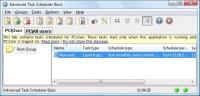
Advanced Task Scheduler is a multifunctional task scheduler, which allows you to automate all your day-to-day tasks: launch programs, shut down your system, establish network connections and much more.
Advanced Task Scheduler is a multifunctional task scheduler, which allows you to automate all your day-to-day tasks: launch programs, scripts and batch files, open documents and web pages, display popup reminders, play sounds, send messages, shut down and restart your computer, establish and close dial-up connections, and much more.
Advanced Task Scheduler offers a full set of scheduling tools that allow you to run scheduled tasks automatically, as a one-off, a specified time after system startup, or minutely to yearly. Alternatively, set tasks to run via a hotkey, on computer idle, on dial-up connection being established, on user log-on/off, program start/stop, etc. Popup reminders stop you forgetting important tasks on your to-do list. Automatic shutdown feature allows you to leave your computer running and be sure it shuts down at a set time, and a similar feature applies to programs and dial-up networks.
Advanced Task Scheduler icons will appear in your system tray, giving you access to all its features via a popup menu, which appears on right clicking. Pressing a hotkey restores Advanced Task Scheduler. The scheduler can also be launched as a Windows Service and work in the background, enabling all scheduled tasks to run smoothly without taking up any desktop space. This feature means Advanced Task Scheduler can be run even when no user is logged on.
Advanced Task Scheduler can record all executed tasks in a log file or send them straight to your inbox, letting you know exactly what tasks are being executed and when. The log file can also be printed at your convenience.
Advanced Task Scheduler allows you to automate a wide range of tasks, including all the basics listed above, as well as sending network and e-mail messages and initiating HTTP and FTP transfers.
Try Advanced Task Scheduler for free today. Whats new in version 4.5.616: Version 2.2 build 0512 may include unspecified updates, enhancements, or bug fixes. Requirements: A computer running under Microsoft Windows 9x/NT/2000/Me/XP/Vista/7. Operating system: Windows 2K / XP / XP 64 bit / Vista / Vista 64 bit / 7 / 7 64 bit / 8 / 8 64 bit / 2003 / 2008 / 2008 64 bit / Server 2012 / 10 / 10 64 bit Limitations: Nag screen, 30-days evaluation period. Release notes: Major Update
It gives you detailed information about each and every process that is running. It provides you with the tools to terminate and eliminate any program that may disrupt, damage, slowdown or crash your system.
Price: $49.95, Rating: 9, Downloads: 120 Download
NuKit is a bundle of handy everyday tools to increase productivity and save time: Launcher, Shortcuts, Advanced Calculator, Tweaker, Window Mover, Real Zoom & Real Close.
Price: $19.99, Rating: 9, Downloads: 99 Download
Power Process Controller Free Version shows you exactly what is running on your computer, including the hidden processes. You can view the details of each process.
Price: $17.99, Rating: 6, Downloads: 98 Download
Simply the best menu utility for portable applications. Turn your USB drive to a computer-on-stick. Add, manage and launch portable applications with ease and comfort. See available disk space. Keep your disk healthy with Drive Doctor. And more...
Price: $0, Rating: 0, Downloads: 92 Download
An easy to use application that allows you to control your computer resume from power-off state (hibernation) or wake up your computer from sleep mode (stand by).
Price: $24.95, Rating: 4, Downloads: 88 Download
User Rating
Rating:2.2 out of
5 Based on13 ratings.
13 user reviews.

 Advanced Task Scheduler 4.5.616 details